
Videobox featuring Videocampus Sachsen
The Videocampus Sachsen offers different settings for accessing videos. Therefore, when creating a video box in the box folder with a video from Videocampus Sachsen, you have to make sure that the appropriate settings are enabled to view the video.
Which videos can be embedded in WebCMS?
- Available videos: the medium is accessible to everyone who have an account for the VCS and are logged in. It can be found in the search.
- Hidden videos: this medium is only accessible via a direct link. It does not appear in the search.
Public access must be additionally set up. This allows the medium to be played without prior login to Videocampus Sachsen. In addition, the video must be shared with all organisations.
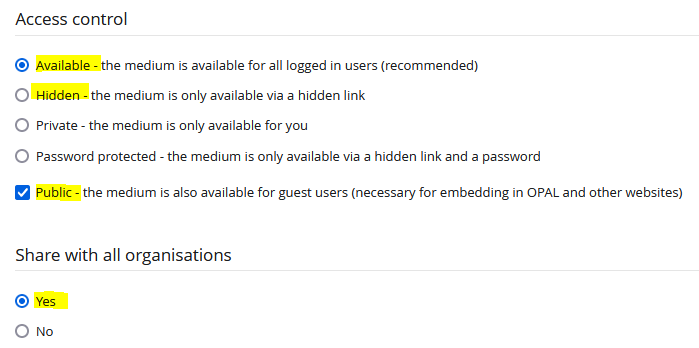
Figure 1: Settings for viewing an uploaded video in Videocampus Sachsen
Where is the embedding link located?
Use the Share button, located in the lower right corner of the video player (Figure 2), to get the embedding link for the WebCMS .
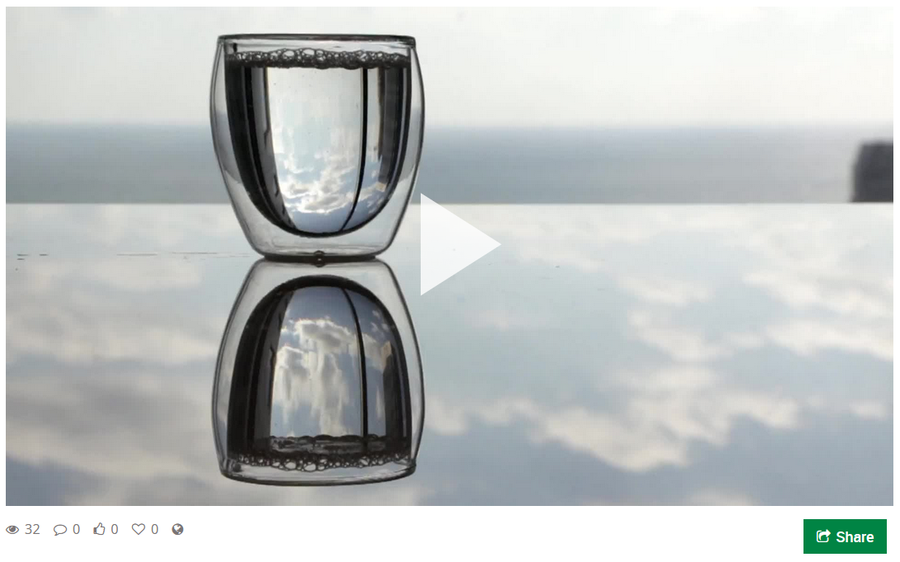
Figure 2: Share button in Videocampus Sachsen
In the following window, you will find the required link for all public and your own hidden videos (Figure 3).
For available videos, the link is a permalink that corresponds to the address where the video can be found (address line of the browser). Insert this permalink in the video box in the Video URL field.
For hidden videos, the hidden link is required. Hidden links start with the address line https://videocampus.sachsen.de/m/ and thus differ from the URL that you type in as the owner of the video. As the owner, you will see the hidden link in the Share window (when logged in). Insert the hidden link in the video box in the Video URL field.
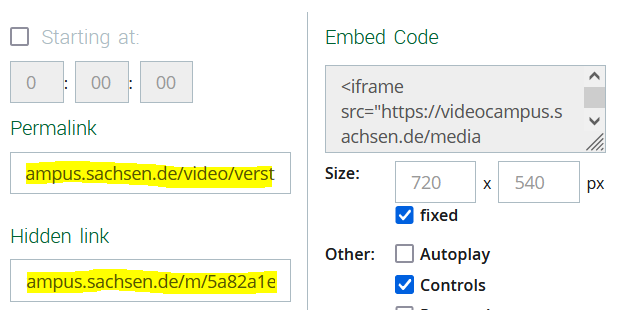
Figure 3: Links in Videocampus Sachsen for embedding in WebCMS