
Plaud Note Pro
General information
The Plaud Note Pro is a credit card-sized AI dictation device that records, transcribes and automatically summarizes conversations - developed by Plaud Inc., a startup founded in 2021 that is incorporated in Delaware but has its operational headquarters in San Francisco.
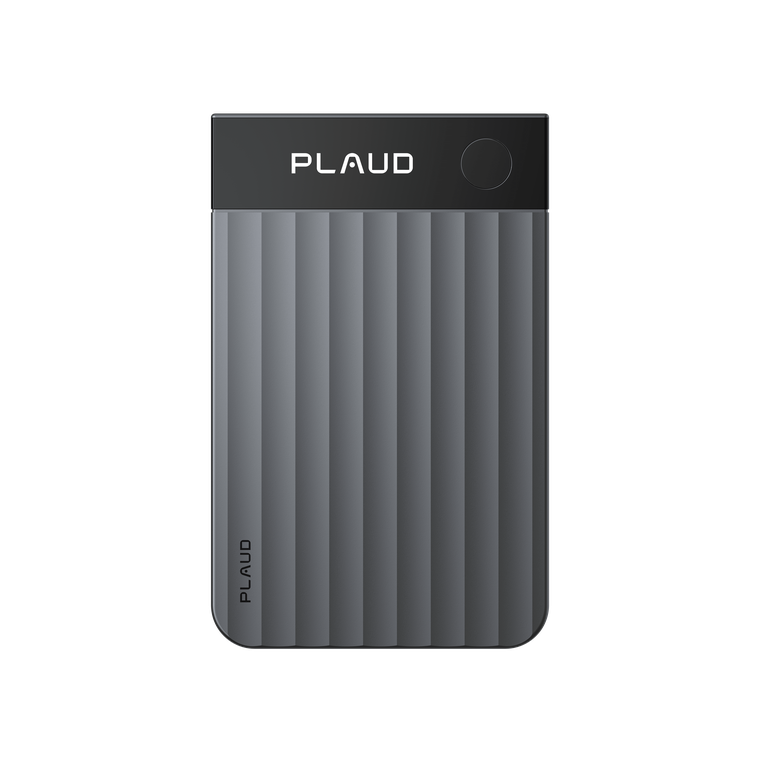
Table of contents
Technical data
- Supported operating systems: iOS, Android
- Microphones: 4 MEMS, 1 VPU
- Recording range: 5m in power mode, slightly less in energy-saving mode
- Memory: 64 GB
- Battery life according to manufacturer: 30h in performance mode, 55.5h in energy-saving mode
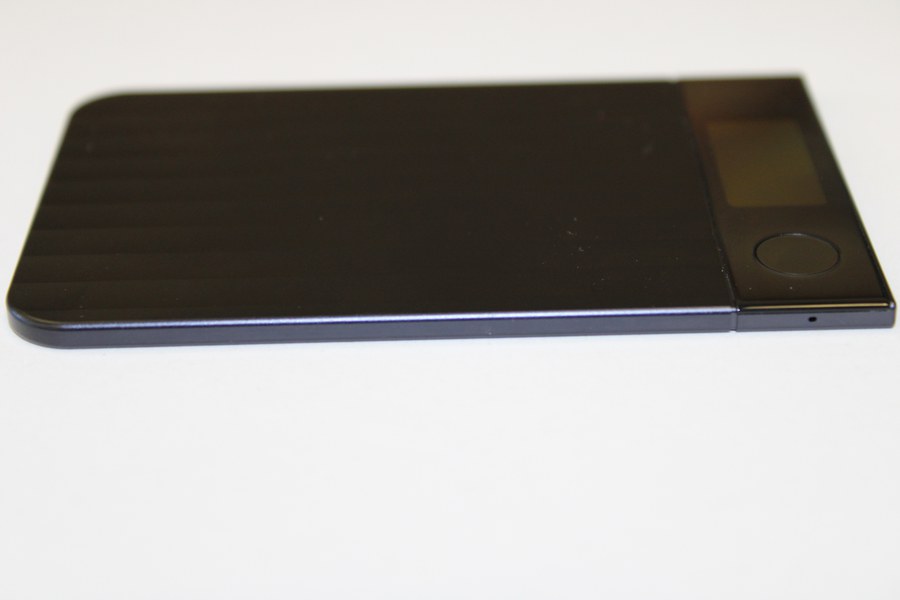
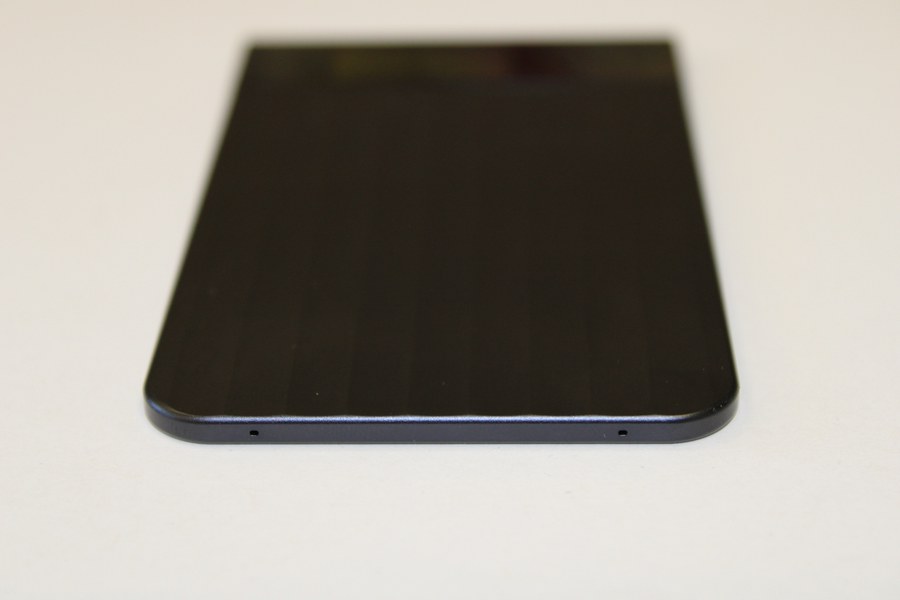
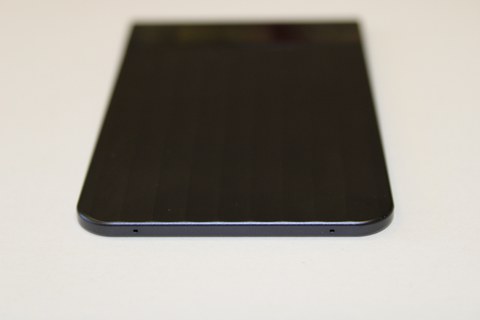
- Dimensions: 85.6 x 54.1 x 2.99 mm (H x W x D)
- Weight: 30g
© VCC
© VCC
© VCC
Scope of delivery
- Plaud Note Pro
- Leather case
- Proprietary charging cable
- Magnetic ring for attaching to smartphones with MagSafe
Installation
After the device has been fully charged, it is connected to an Android smartphone via Bluetooth. As expected, it requires an account with Plaud, so it cannot be used as a "dumb" dictation machine.
A mobile device with either iOS or Android is required to use the device. It is not possible to use a Bluetooth-enabled laptop for pairing. There is now a Plaud desktop app for Windows and Mac, but this works without the Plaud Note Pro and cannot be paired with it. But it doesn't have to, because in this case the existing/connected microphones of the computer are simply used.
After the firmware upgrade to version 1.5, the installation is complete.
Private Cloud & Plaud Web
Right at the start of use, you will be asked whether you want to use the "Private Cloud", as some functions depend on it. However, the term "private cloud" is somewhat clumsy: Plaud does not mean an actual private cloud hosted by you or at least a cloud you have chosen yourself (i.e. a data storage of any kind that can be accessed from anywhere), but a remote data storage hosted by Plaud itself, to which you are the only one who has access. A private cloud at Plaud, so to speak.
If you decide against the private cloud at Plaud, you will not be able to synchronize with Plaud Web. Plaud Web is the web interface, which basically provides the same functionalities as the smartphone app, just in a browser and synchronized. So you could save everything locally on your smartphone (or in the truly private cloud) without the private cloud and manage everything from there, but in essence this leads to "more unnecessary clicks".
Incidentally, the choice of private cloud yes/no has no influence on whether data flows to an LLM provider or not. This always happens. More on this in the data protection section.
Costs
The device itself costs €190 RRP. Without paying another penny, you have access to 300 minutes of recording + transcription, i.e. five hours per month. This may be enough, but depending on your habits and meetings or phone calls, it may not be enough.
If you would like to have more time available, Plaud offers a subscription model, which basically offers two options: For 111€ per year you get 1200 min/month (i.e. 20 hours) and for 225€ per year then unlimited minutes per month.
Test
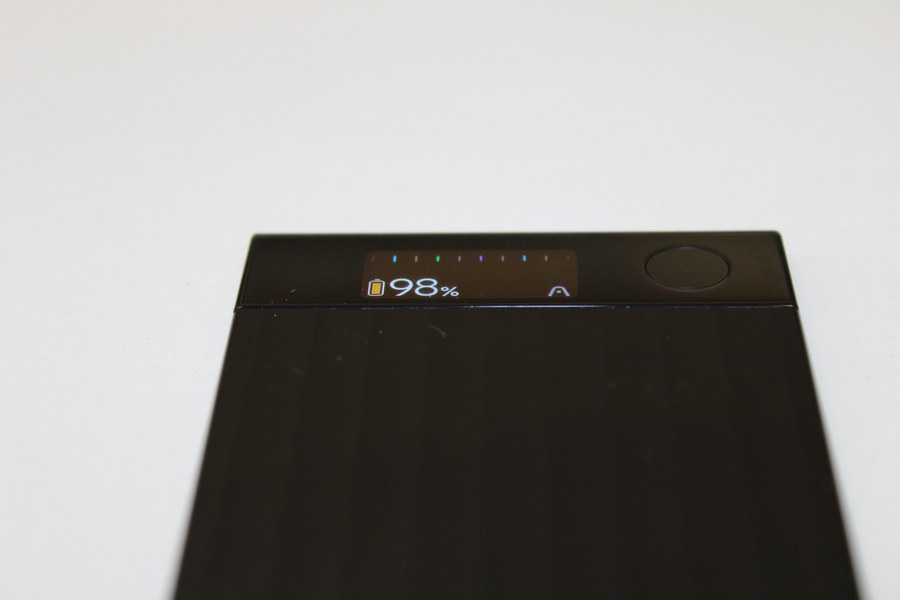
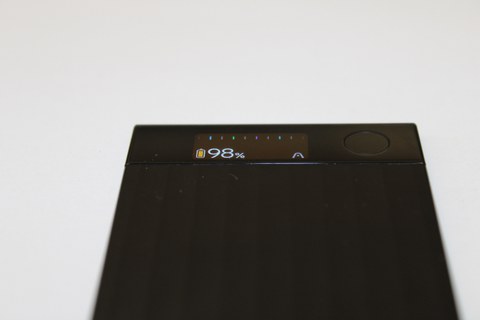
The device itself has a button to the right of the small OLED display. This can be used to start a recording (press and hold until it vibrates once), to mark a particularly important event (press once) and to end a recording (press and hold again until it vibrates twice). The device does not offer any more interaction options.
The display shows the battery level as a percentage, energy mode in the form of the color of the battery icon and a kind of "recording status". Colored vertical lines mean "not recording" and gray vertical lines mean "currently recording".
Once a recording has been completed, the recorded audio file must be transferred from the device to the paired smartphone. The audio files can be transferred either via Bluetooth (slow but convenient, as it is permanently paired anyway) or via Wi-Fi. In the case of the latter, the device sets up a hotspot for the duration of the transfer, to which the smartphone connects and then transfers the data. This briefly cuts off connectivity to the Internet in order to connect to the Plaud Note Pro.
There are two recording modes: ambient recording and call recording. Ambient recording is intended for meetings and personal dictation tasks. In call recording, the device is supposed to be attached to the back of the smartphone using a magnetic holder and can clearly record both parties at a call volume of 60-80%. Calls via headphones cannot (understandably) be recorded. In the settings, you can specify whether the mode should be changed automatically (based on orientation) or set manually.
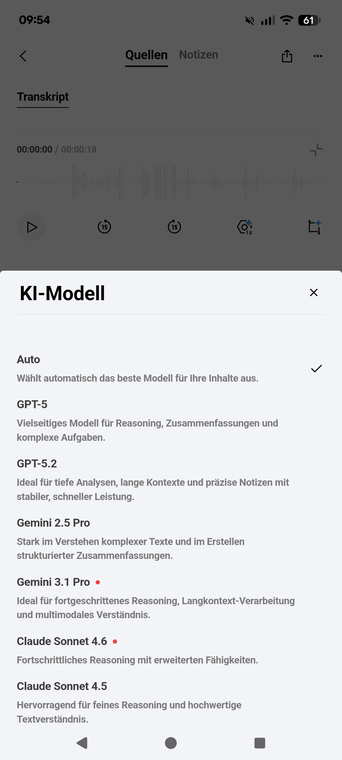
The recorded audio is transcribed and during transcription you can choose which AI model should be used for the summary.
In our tests, the automatic selection always worked very well, but it is positive that you have the option of selecting a specific LLM.
There is also the option of having Plaud transcribe and summarize completely "external" audio files with speech. This would save you the purchase price of the Plaud Note Pro. The following formats are supported: .ogg .wav .opus .m4a
The following are not supported: .flac and an error message appeared with a test mp3 file. However, Plaud support assured us that mp3 files are supported.
Templates & Community
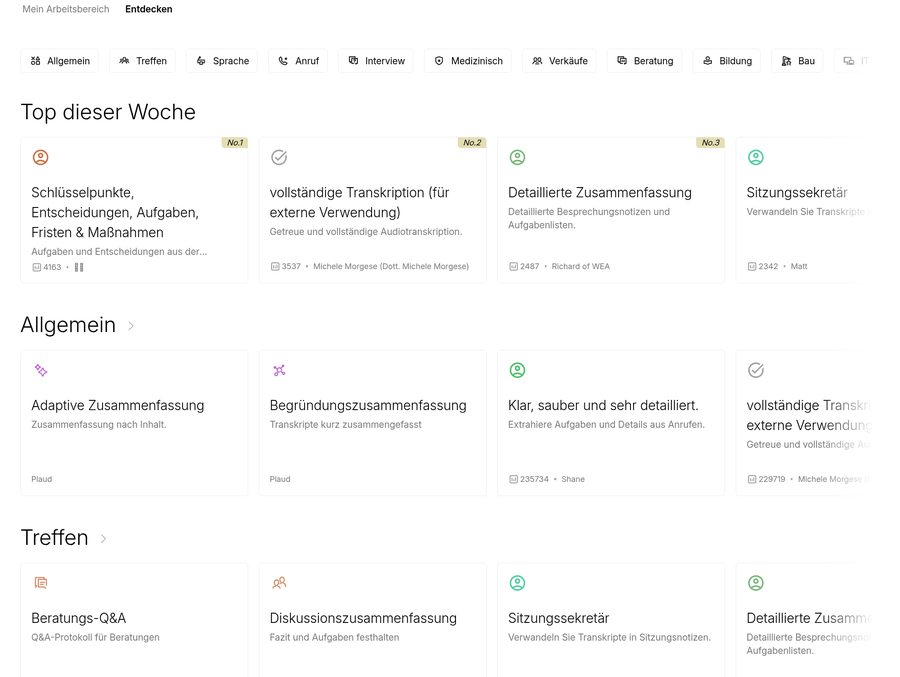
In order to obtain better or more usable summaries, you can create templates that give the underlying LLM instructions on how exactly the transcript should be prepared. After you have uploaded and transcribed an audio file, you can select one of these templates and then receive the finished summary according to these instructions.
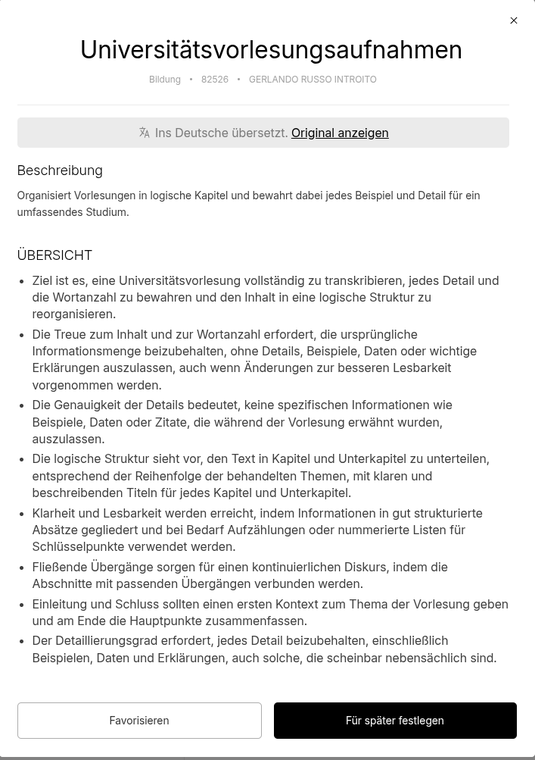
Plaud itself offers a kind of forum in which templates from the community are published in order to cover a wide variety of use cases. A community-driven effort, so to speak, to make specially created templates accessible to the community.
On the right is an example of a template for recording university lectures from an Italian gentleman.
Autoflow
The app also offers the option of creating rules that can be applied to recordings. This can be done using keywords, for example:
"If the word "meeting" is mentioned in the first 60 seconds, then use the meeting template to create the summary"
This makes it easy to link various templates and select them automatically.
Experience
The installation went smoothly for us, but we had to reset the device to factory settings once because something had got stuck with the charge level indicator. The Note Pro thought it had 0% battery, even though it had been on the charger for an hour beforehand.
After the factory reset, it worked normally and delivered exactly what the manufacturer promised in terms of battery life.
In our tests, the recording, transcription and summary were all very positive. We can confirm the stated recording range of 5 meters. At this range, the recording is still very easy to understand, which is frankly impressive for such small microphones.
Community test
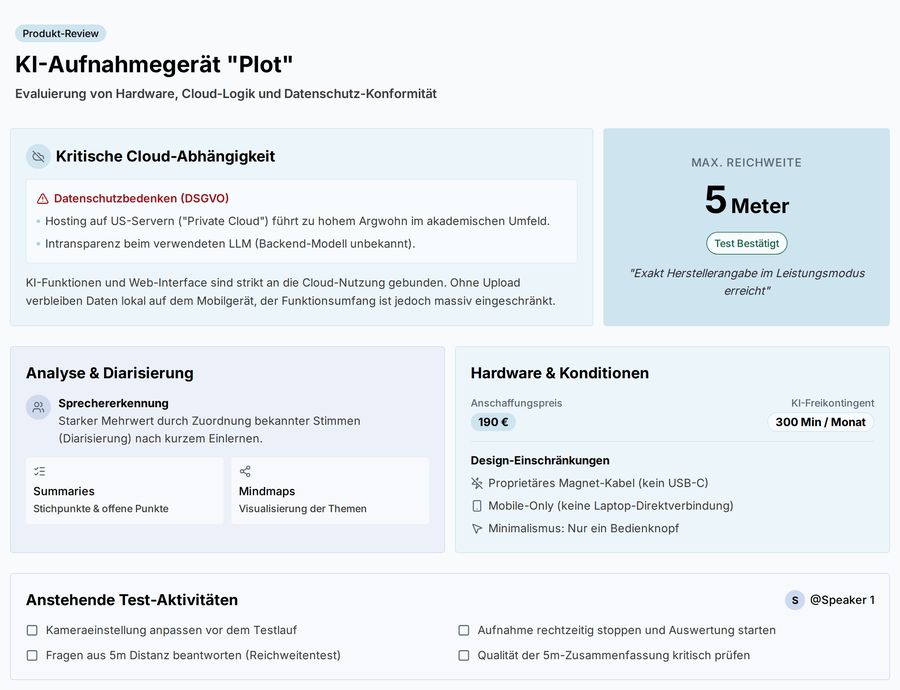
In the community test, interested users came together to contribute their questions and suggestions regarding the product. In a meeting lasting around an hour, the device was presented and our experiences with it were shared. The summary of the community test can be seen in the picture on the right. It was created from the standard template and the author of this report had no influence on the content. Two things are interesting here: The LLM itself decided that the 5 meter recording range had been reached. This was not yet clear at the time of the recording (on which the summary is based). Secondly, the middle left box "Analysis & diarization" is very meaningless or does not match what was said. In reality, it was talked about that the speaker recognition offers added value (correctly recognized), but the reference to the Plaud device is not given, as it was noticed in the test itself that all remote speakers are counted as one person. We asked the manufacturer for a statement regarding the mechanics behind the speaker recognition, the answer was that the voice color is the decisive criterion and not the direction from which the sound comes. We can confirm this in principle; the test from the recording section goes into more detail about the conclusion we came to.
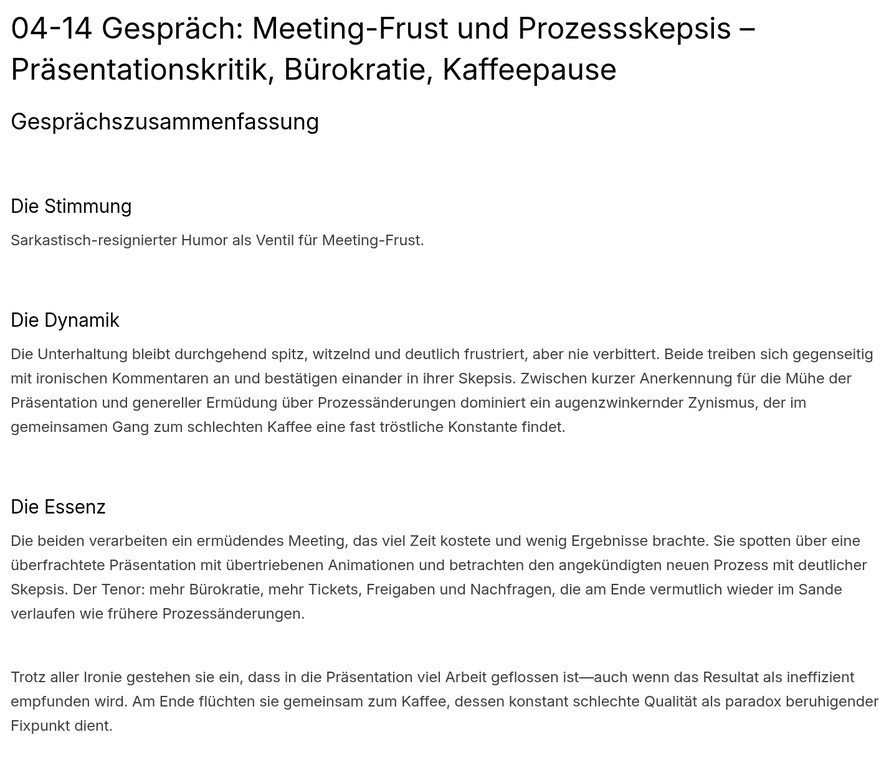
The community also wanted to check whether the transcription provides enough information so that the LLM working behind it can recognize whether the speaker is using irony. This is also discussed in the recording section.
Data protection
The company advertises ISO 27001, ISO 27701, GDPR and EN 18031 certification and compliance. What it does not advertise, however, is a precise breakdown of where the servers are located and which servers are used for communication. However, due to the selection of different LLMs, it can be assumed that data flows at least once to the respective provider of the LLM. There is no option to use a privately hosted LLM instance or any other instance than those available in the list.
In the app, you can at least withdraw or refuse consent to the reuse of your own generated data for training purposes.
The fact that you have to obtain the consent of the participants for the recording and processing of data before each meeting is of course correct and necessary. At the same time, our impression is that there is resentment towards the fact that there is little control over the outflow of data. This often leads to people refusing to give their consent to a recording and, as a final consequence, you are forced either to remove the person from the meeting or, if this is not possible, to refrain from recording.
Recordings
In order to answer the community's questions, the VCC has carried out two tests:
Speaker recognition
The aim is to check whether speaker recognition takes place by voice pattern or by directional recording.
Two recordings were made for this purpose: To find out whether the device (or the software behind it) does speaker recognition via the direction of the sound or via the voice, the device was rotated 180° in the middle of a meeting. As a result, the speakers sitting diametrically opposed would swap their labels in the transcript if a directional speaker assignment was used.
It turns out that speaker recognition actually works by voice and not by direction. However, this also means that the device (or the AI behind it) has trouble correctly identifying remote participants because they are output through the speakers, which involves a lot of information loss. However, both the app and the web interface offer the option of editing the speakers afterwards and assigning them manually if incorrect assignments have been made.
Irony detection
The second recording raises the question of whether an LLM is capable of recognizing irony in spoken language purely on the basis of the transcription. After all, a lot of important meta-information such as facial expressions, gestures, tone of voice and parts of the context are missing here. The background to the question is understandable: Irony is the exaggerated statement of facts in order to express the opposite of what is actually the case. Even we as humans are sometimes not sure whether someone means a statement ironically or seriously.
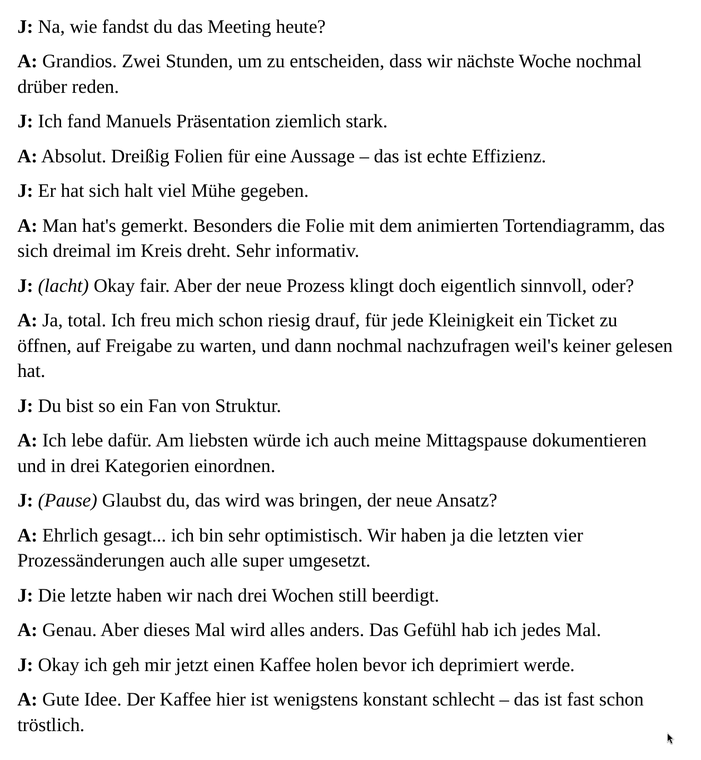
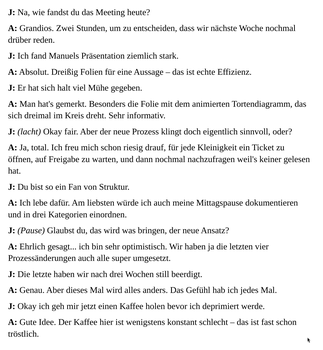
To generally check whether an LLM can read irony from a transcript, two VCC employees recorded a (fictitious) text:
© VCC
© VCC
This leads to the conclusion that LLMs are very capable of picking out irony. Admittedly, the text is filled to the brim with ironic remarks, which is unlikely to be a real-world scenario in most cases. However, it must also be said that a truly objective test is difficult in such a case, as you can never be sure whether an ironic remark has fallen victim to "summary compression" or whether the LLM simply did not recognize that the remark was meant ironically.
Conclusion
In our opinion, the Plaud Note Pro is a real enrichment for everyday office and video conferencing. The recordings are very good, as is the transcription and the summaries via Plaud AI are always very good. The device's strengths come to the fore when you use many different video conferencing systems. Microsoft Teams has the feature of recording and transcribing meetings, including summaries, but this only applies to Microsoft Teams. The Plaud Note Pro is VC system-agnostic and you have everything in one place without having to manually move recordings from platform to platform. A real added value.
Minor problems, such as the poor recognition of speakers from a distance and the occasional poor speaker assignment with very dynamic speaker changes, are bearable and can certainly be rectified with software updates.
Disclaimer
Plaud Inc. kindly sent us a test device. The manufacturer had no influence on the test report.